The easiest way to bring world-class engine analysis into your routine
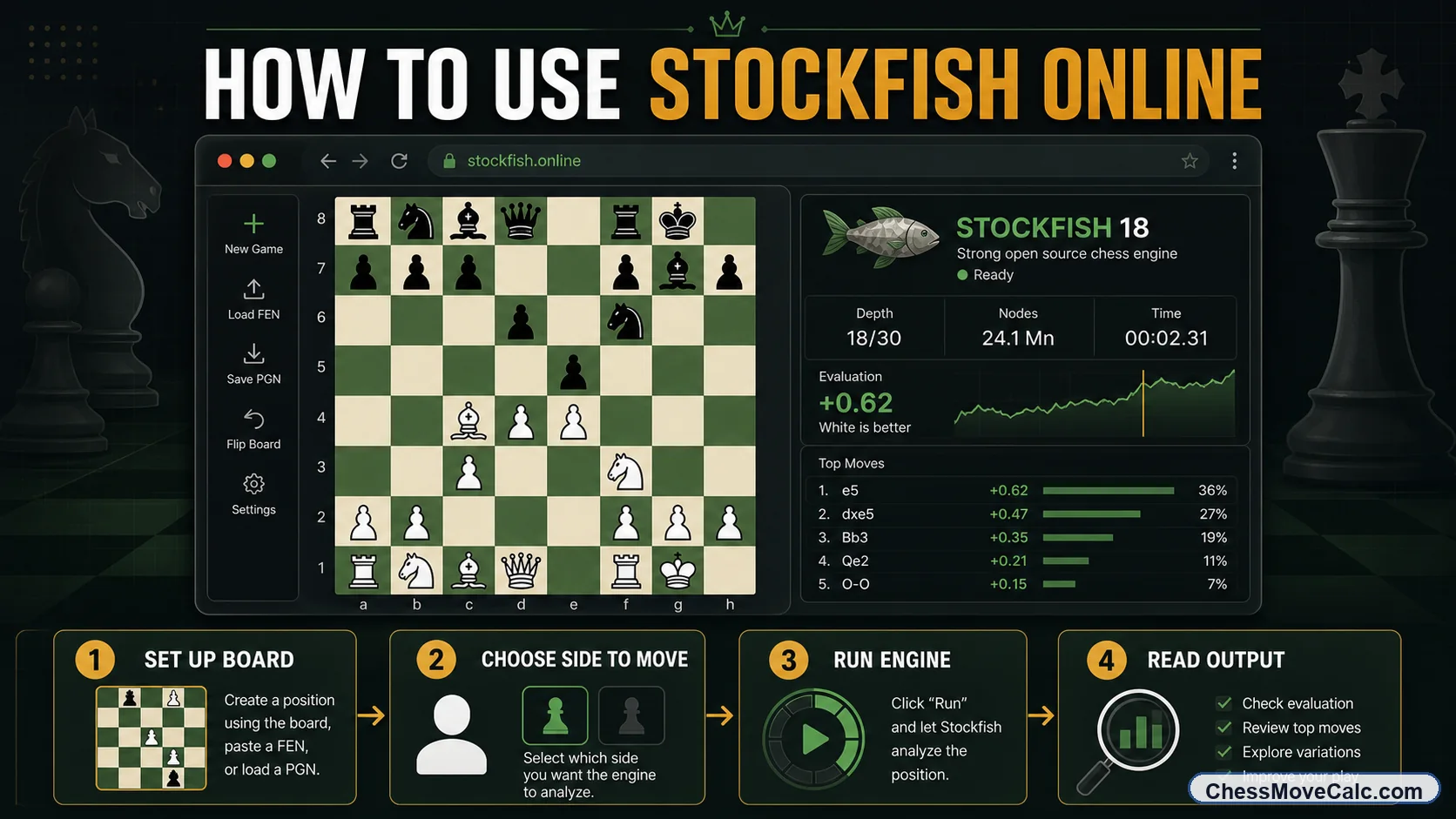
Stockfish online works best when you treat it as a structured workflow: load correctly, verify the position, run the engine, then interpret the result.
Many players arrive with practical phrases in mind: stockfish next move, stockfish best move, stockfish calculator, and stockfish move calculator. Behind those phrases is one simple need: people want help using Stockfish online, not just a page that says Stockfish exists.
The official Stockfish site is the authority on the engine itself, and it is useful if you want downloads or version updates. But most players do not begin with source code, desktop setup, or hardware tuning. They begin with one practical need: “I have a position. I want the best move, a reliable evaluation, and a clean way to understand what the engine is telling me.” That is where a strong browser workflow matters.
This article is deliberately focused on that workflow. It is not the same as our next move solver, which is the hands-on tool. It is also not the same as our separate deep explainer on Stockfish depth, evaluation, and PV, which goes much deeper into the meaning of engine output. Here, the goal is simpler: help you use Stockfish online correctly, quickly, and in a way that actually improves your chess.
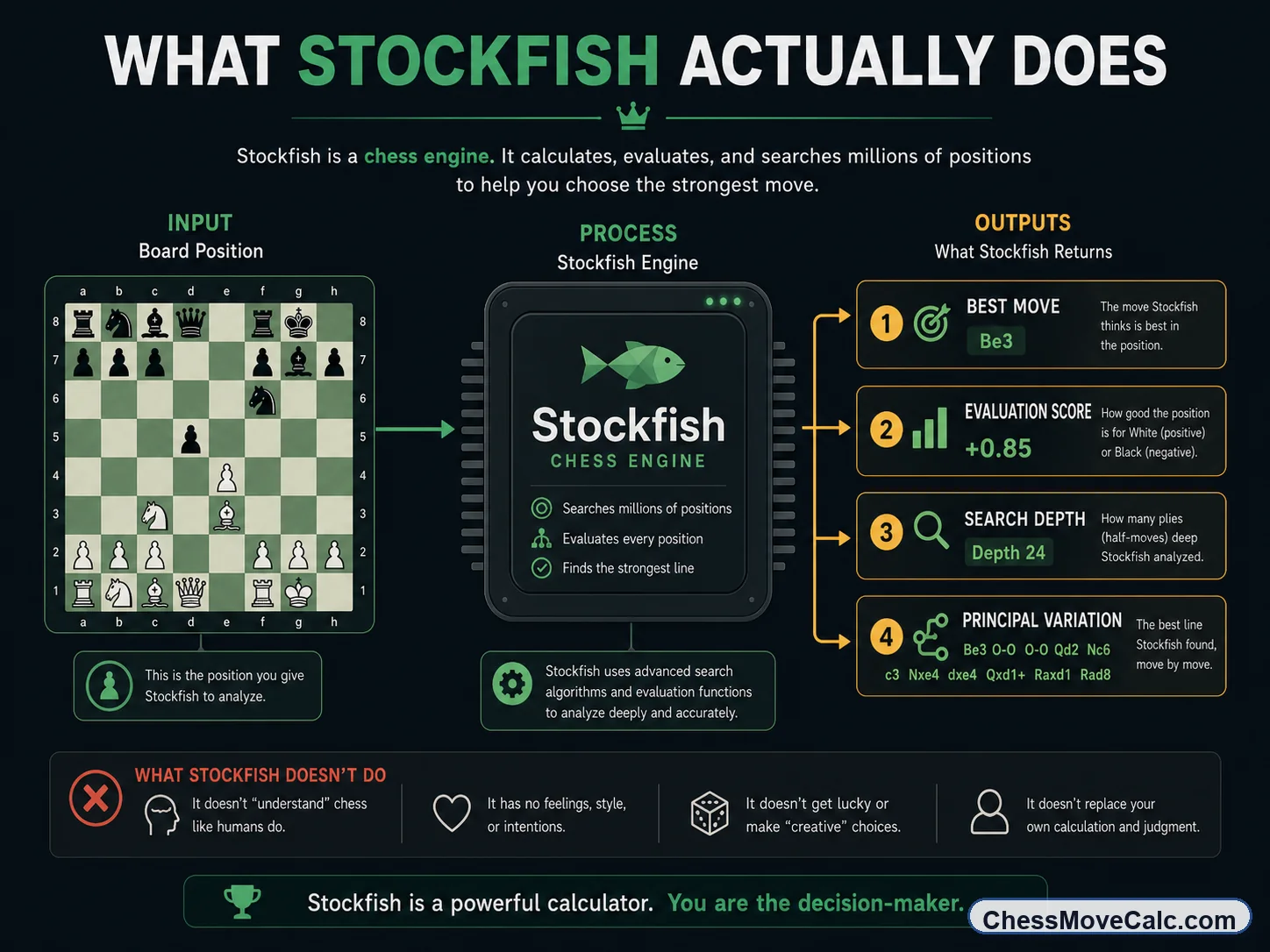
Stockfish is the calculation core. It searches the position, ranks moves, and returns best lines and evaluations.
What Stockfish actually does
Stockfish is a chess engine online when it is exposed through a browser interface. At its core, though, it is an analysis engine: you feed it a position and it searches through move trees, scores resulting positions, and tries to identify the strongest continuation. That is why engine output typically includes a best move, a centipawn evaluation, a search depth, and a principal variation showing the engine's preferred line.
This matters because many players confuse the engine with the interface. Stockfish is not the board, the button, or the graph. Those are interface layers. The engine is the calculating brain underneath. The distinction is useful because it explains why you can find Stockfish inside different products, from analysis boards to “next move calculator” pages to browser-based review tools.
It also explains why players trust Stockfish so heavily. It is open-source, battle-tested, and used as the benchmark in a huge number of chess workflows. When users search for stockfish solver or stockfish best move, they are usually asking for a practical interface to that engine power. They want a fast answer from a trusted calculation system, not a lecture on software architecture.
The four outputs to remember
When you use Stockfish online, keep these outputs in view together: best move, evaluation score, depth, and principal variation.
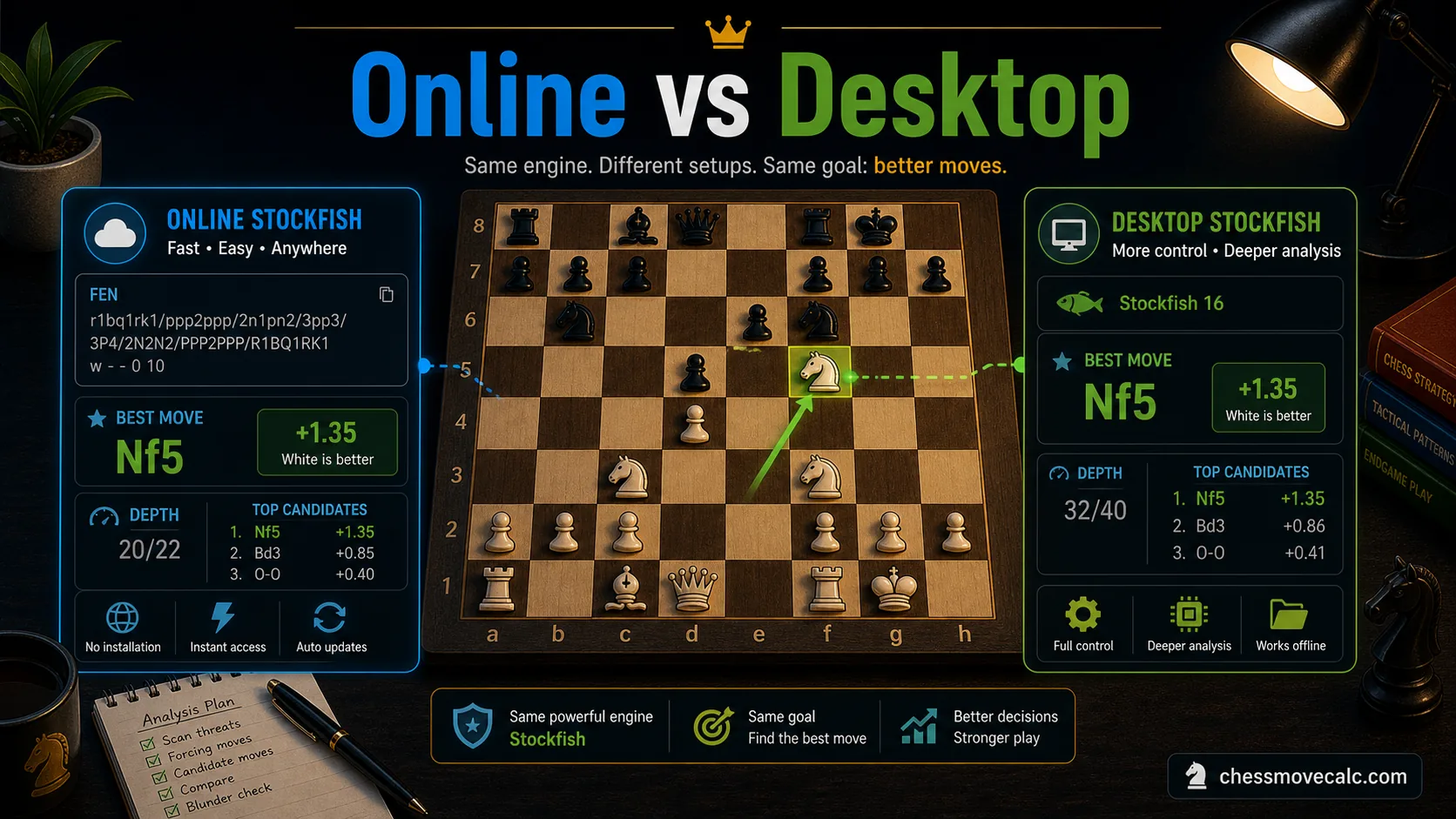
Online Stockfish wins on convenience. Desktop Stockfish wins when you need long, heavy, or database-driven analysis.
Online Stockfish vs desktop Stockfish
For most players, stockfish online is the correct default. It opens instantly, needs no installation, works on almost any device, and is strong enough for ordinary game review, position checks, puzzle verification, and blunder hunting. If you are trying to learn from one position, solve a tactical question, or check whether your move made sense, the browser version is usually enough.
Desktop Stockfish becomes useful when the session is heavier. Maybe you want deeper searches on a strong machine, an integrated database, engine tournaments, custom settings, or a GUI that supports broader analysis projects. Serious opening prep, endgame digging, and long postmortem work can justify the desktop route. The official Stockfish download page exists for that reason.
But most users overestimate how much depth they need and underestimate how much friction hurts consistency. A browser workflow used every day is usually more valuable than a powerful desktop setup you open twice a month. The practical rule is simple: use online Stockfish first, and move to desktop only when your study habits truly outgrow the browser.
Practical rule of thumb
If you are checking one position or reviewing one game casually, stay online. If you are running long sessions with databases or GUIs, desktop starts to make sense.
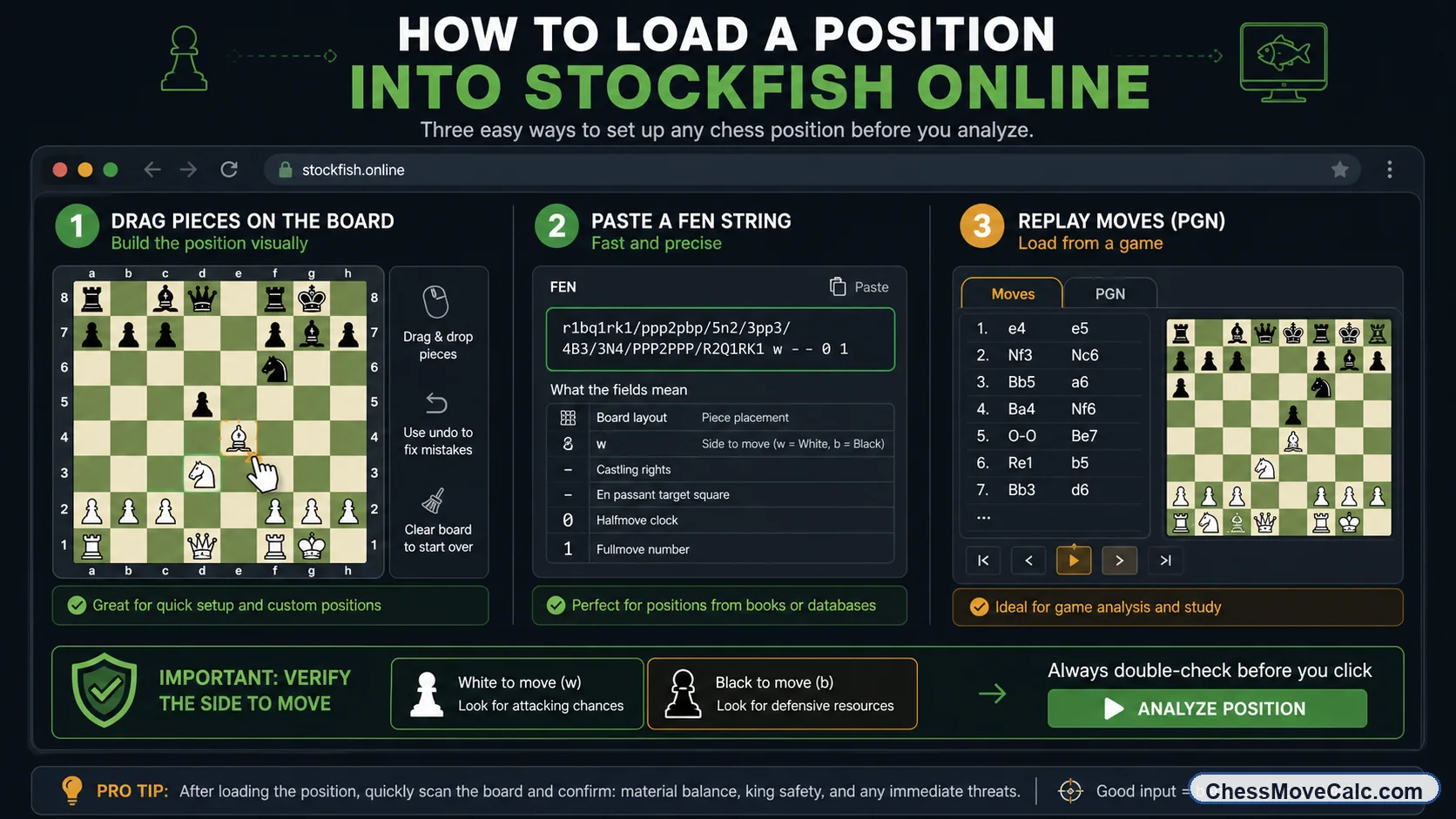
Bad input creates bad analysis. Good engine use starts with loading the exact position accurately.
How to load a position online the right way
There are three reliable ways to get a position into Stockfish online. First, you can drag pieces manually on the board. This is fine for quick tests, but it is also where many input mistakes happen. Second, you can paste a FEN string, which is often faster and safer for one-position analysis. Third, you can replay recent moves or paste a PGN if the tool supports it. The best choice depends on what you already have.
Whatever method you use, verify the same things every time. Is the side to move correct? Are kings on the correct squares? If castling rights matter, were they preserved? Is an en passant square present when it should be? One wrong field can completely change the engine answer. That is why many users think Stockfish is “wrong” when the real issue is that the position was loaded incorrectly.
This is also where your site structure helps. If the notation or move text needs cleanup first, use the chess notation converter. If you are specifically working with FEN, the next post in this cluster, How to Use FEN to Analyze Chess Positions, goes deeper into the six FEN fields and copy-paste workflows from sites like Chess.com and Lichess.
- Manual board setup is fine for quick tests, but FEN is usually safer for exact positions.
- Always confirm side to move before you analyze, because that single detail can reverse the engine verdict.
- Visually compare the loaded board with the original position before trusting the result.
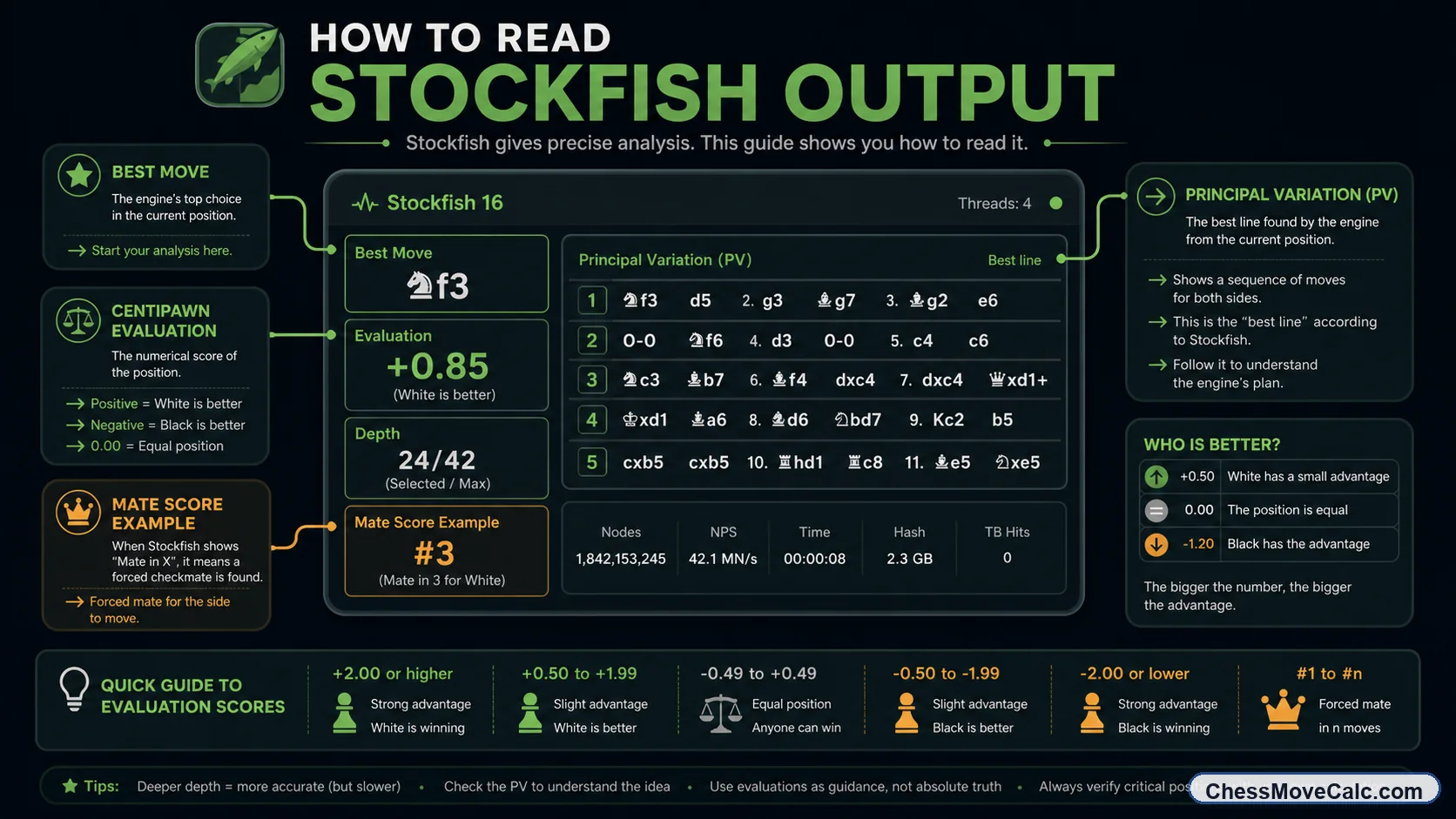
The best move is only one part of the story. Read the score, the depth, and the line together.
How to read Stockfish output without getting lost
Most users first stare at the best move, but strong Stockfish use means reading the full output package. Start with the engine's move recommendation. Then check the evaluation score: positive values favor White, negative values favor Black. After that, look at the depth to see how mature the search is. Finally, review the principal variation, the line Stockfish currently prefers.
In practice, the numbers need interpretation. A tiny edge such as +0.2 is rarely a reason to panic or celebrate. It often means the position is close enough that human factors still matter a lot. A larger edge like +1.5 or +3.0 means more, but you still need to understand whether the advantage is tactical, strategic, or practical. Mate scores matter even more: if the engine sees a forced mate, that overrides small centipawn considerations.
The depth number is also useful, but not magical. Deeper is generally better, yet different positions stabilize at different rates. A quiet position may become reliable quickly. A tactical mess may keep changing for a while. This is exactly why we created the separate explainer Stockfish Depth, Evaluation, and PV Explained. That page goes much deeper into centipawns, mate scores, and line stability, while this post stays focused on the online usage workflow.
Avoid single-number tunnel vision
Do not react to one evaluation number in isolation. A best move, a score, a depth, and a PV only make sense when read together.
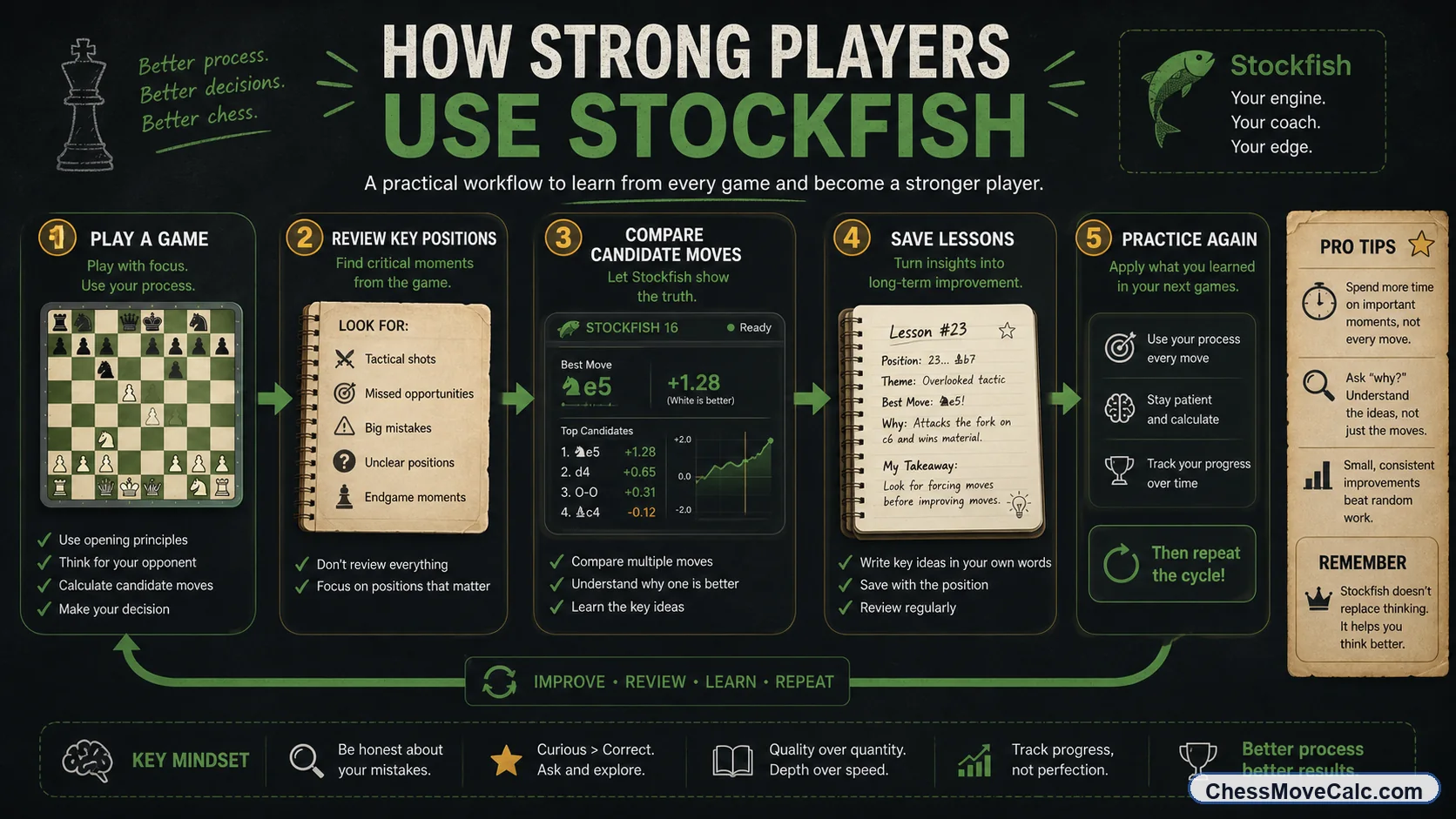
The engine becomes an improvement tool when you compare its ideas with your ideas instead of copying blindly.
Best ways to use Stockfish for real improvement
The strongest players do not use Stockfish only to ask, “What is the best move?” They use it to ask, “Why was my move worse, and what pattern did I miss?” That difference is everything. A good study loop looks like this: play or solve first, write down your candidate move, run Stockfish, compare the engine line with your line, and save the tactical or strategic lesson in plain language.
Post-game review is the most powerful application for most amateurs. Instead of checking every move, focus on turning points: the first blunder, the moment the evaluation swung, the critical opening choice, the missed tactic, or the endgame transition. Stockfish is excellent at exposing those inflection points. It can also help you test candidate moves in a position, check endgame technique, and see whether a sacrifice really worked or only looked scary.
The key is deliberate use. If the engine disagrees with you, do not just copy the top move and move on. Ask whether you missed king safety, a tactical defense, a loose piece, a pawn-break resource, or a line that was simply deeper than you calculated. That reflective process is what turns an engine from a solver into a coach. If you want the broader manual framework behind this habit, pair this article with Chess Position Analysis for Beginners.
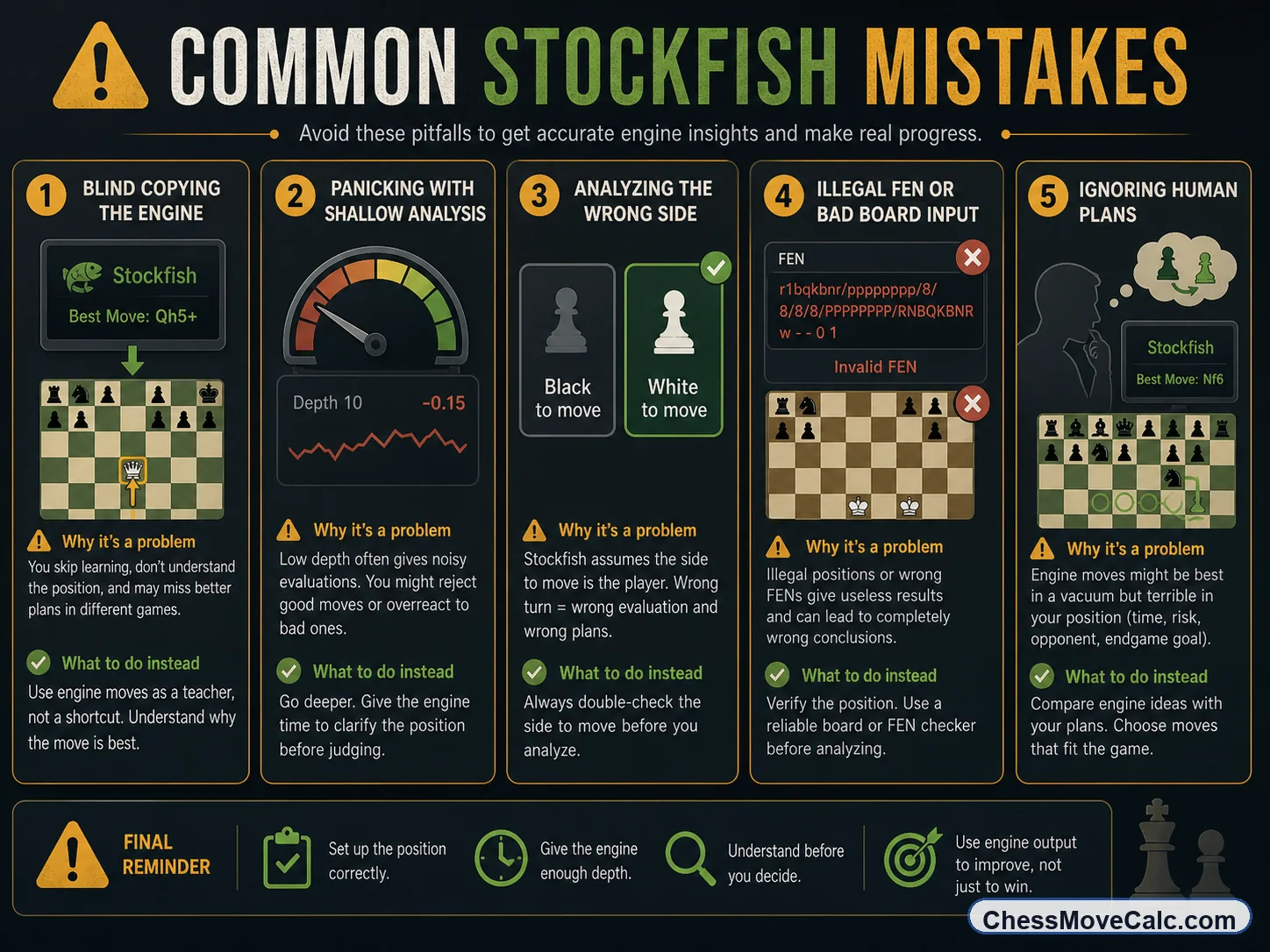
Most bad Stockfish sessions fail because of bad habits, not because the engine lacks strength.
Mistakes that make Stockfish less useful
The first big mistake is blind copying. If you use Stockfish as a move dispenser, you may get answers, but you will not build calculation skill, positional judgment, or pattern memory. The second big mistake is reacting too early. A shallow line can look best and then disappear a few seconds later once deeper search finds a refutation. The third big mistake is incorrect input: wrong side to move, illegal board, missing castling rights, or sloppy move entry.
Another common problem is overreacting to tiny eval swings. Players see the score move from +0.3 to +0.1 and think they made a terrible decision. Often that difference is small enough that the human consequences are negligible. In many practical positions, clarity and king safety matter more than squeezing the last decimal point of engine approval.
Finally, some players ignore human plans. Stockfish may choose a move that is objectively strongest but hard to find over the board. That does not make the engine wrong. It means you still need practical judgment. Good engine use combines objective analysis with human decision quality. The engine sees more than you. You still decide how to learn from it.
Safer engine habit
Always ask two questions after the engine move appears: what tactical idea changed the evaluation, and what practical alternative would I still be able to play confidently?
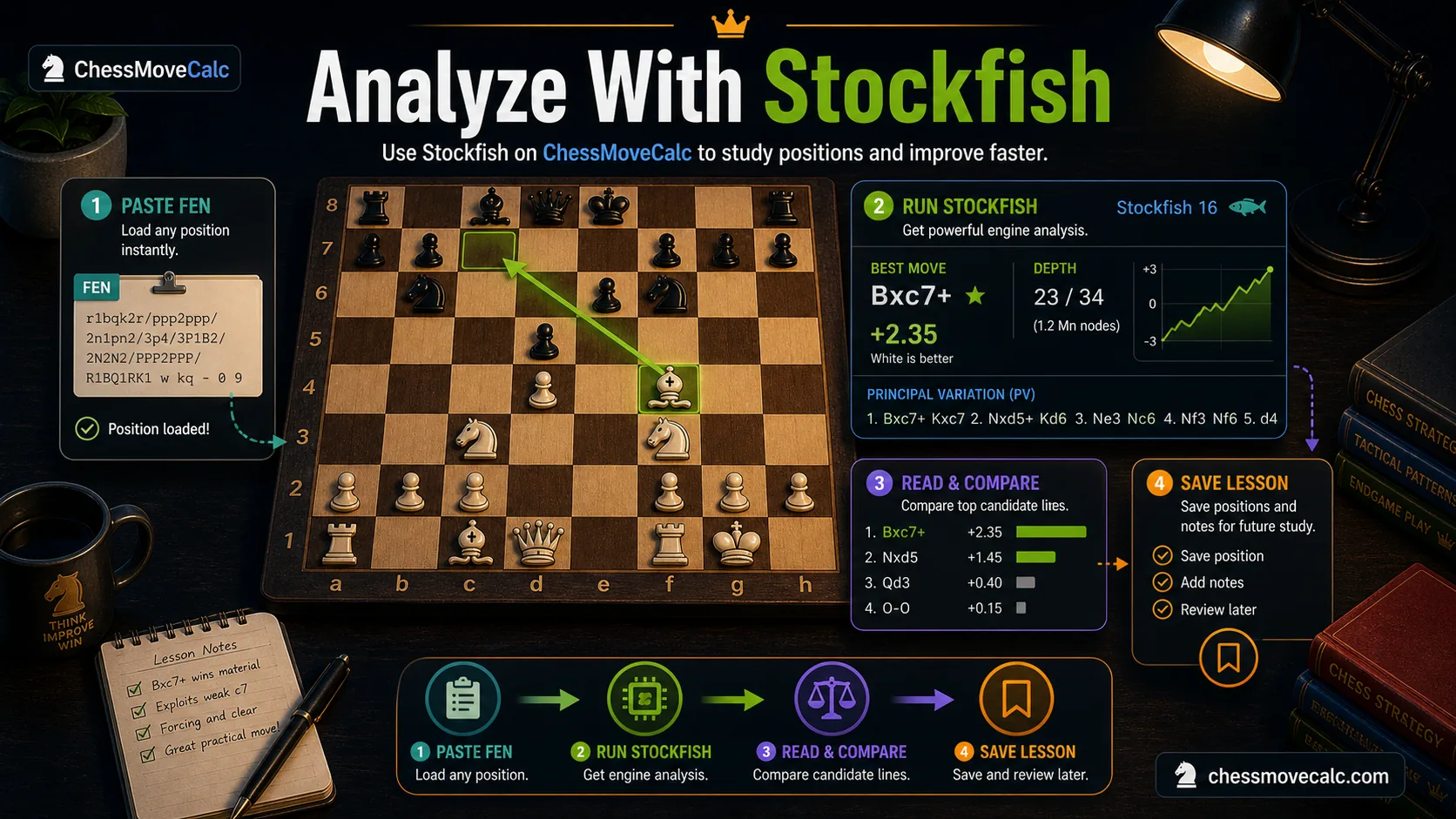
The cleanest ChessMoveCalc workflow is: fix the input if needed, run the solver, then study the lesson around the result.
Best Stockfish workflow inside ChessMoveCalc
Inside ChessMoveCalc, the cleanest flow begins at the homepage. If your goal is a best move or quick position check, open the homepage calculator and use Stockfish online there. If your move text or notation is messy, clean it up first with the notation converter. If you want to turn the engine output into actual improvement, follow up with a guide such as How to Analyze Chess Games.
This layered flow is important because it matches real intent better than a giant one-size-fits-all page. One tool solves the position. Another helps you clean notation or FEN. Another article teaches what the output means. Another teaches how to analyze the position yourself before the engine speaks. The whole process is easier when each page answers one exact step instead of trying to solve every engine, notation, and training question at once.
That is why this post links forward into the Stockfish cluster instead of trying to explain everything at once. If you are here because you want to understand engine numbers better, go to the depth/eval/PV guide next. If you are here because you work with FEN, go to the FEN article next. If you are here because you want a stronger manual framework before checking the engine, go to the position-analysis or next-move articles. If you are unsure where fair study ends and live help begins, read when engine use becomes cheating before using any analysis tool during a game.
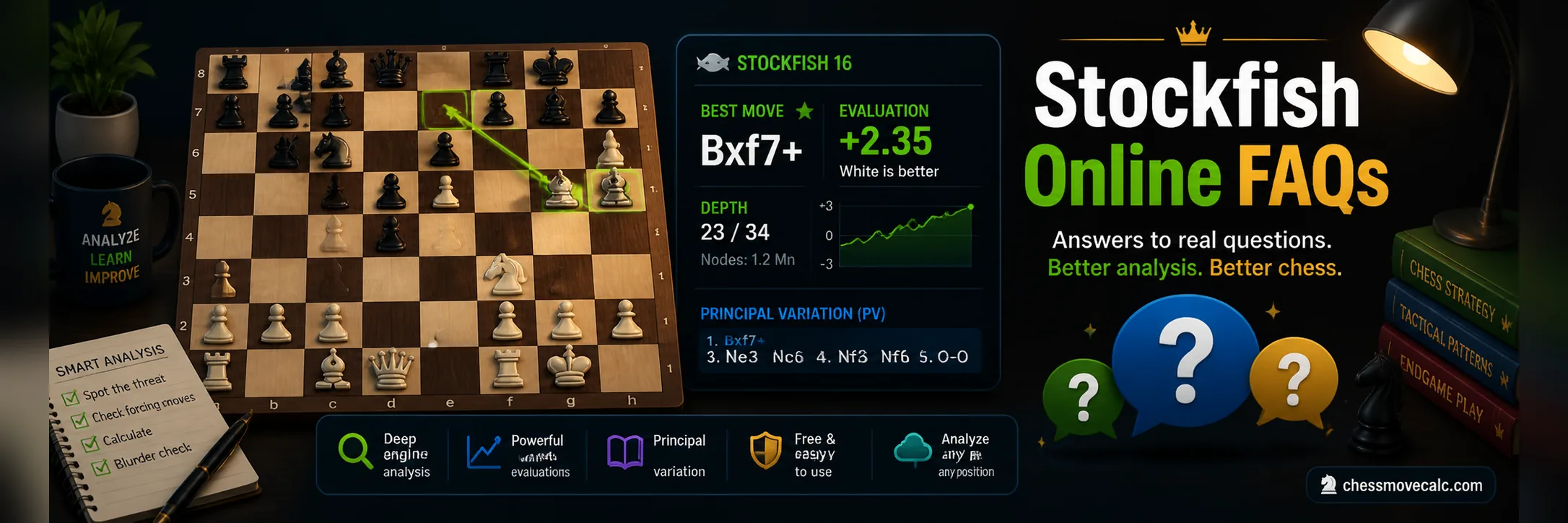
Stockfish online FAQs
Is Stockfish online strong enough for serious analysis?
Yes. For most amateurs and many advanced players, browser-based Stockfish is easily strong enough for move checks, tactical review, post-game study, and position analysis.
What does depth mean in Stockfish?
Depth is how far the engine has searched. Higher depth usually means the line is more reliable, though some tactical positions need more time before they stabilize.
Why does the best move change while the engine is thinking?
Because deeper search reveals stronger defenses and better continuations. The first move shown is not always the final best move.
Should I trust a small 0.2 evaluation edge?
Not blindly. Small edges often matter less than practical considerations such as king safety, clarity, and whether the line is stable.
Can I use FEN with Stockfish online?
Yes. FEN is one of the fastest and most accurate ways to load an exact position into an engine, especially for one-position analysis.
Is online Stockfish enough or should I download it?
Online is enough for most players. Download the desktop version if you want longer engine sessions, database integration, or deeper hardware-heavy analysis.
Try Stockfish online on a real position
Load your position, think first, then compare your idea with the engine's line. That is where Stockfish becomes genuinely useful.