How to Play Chess Unblocked
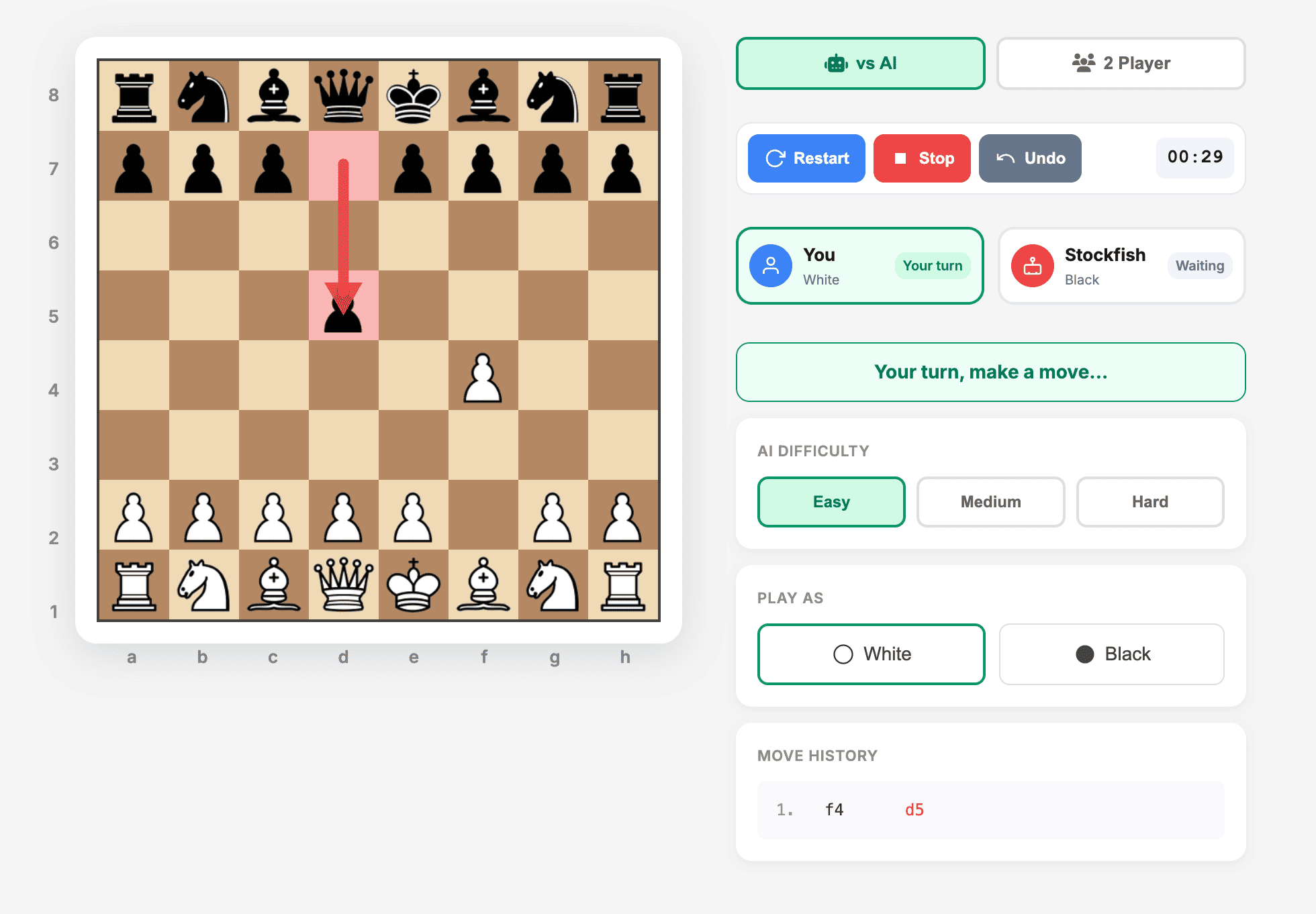
Stockfish AI Chess Engine in Action
Experience the power of Stockfish chess AI playing against human players. Our unblocked chess game uses the same world-class engine that powers Chess.com analysis - completely free and accessible from any network.
Play Chess Unblocked at School & Work
Tired of seeing "This site is blocked" when trying to play chess? Our chess unblocked game is specifically designed to work on restricted networks including school networks (K-12 and college), work/office firewalls, public library computers, Chromebooks with content filters, and networks blocking gaming sites.
- School networks - Works on K-12 and college WiFi systems
- Work/office firewalls - Bypass corporate content filters
- Public library computers - No admin rights required
- Chromebooks with content filters - Perfect for school-issued devices
- Networks blocking gaming sites - Our domain isn't on typical blocklists
Unlike Chess.com or Lichess which are often blocked by school filters, our lightweight implementation avoids common blacklist triggers. The game runs entirely in your browser with minimal resource usage, making it perfect for educational settings where IT departments restrict access to gaming platforms.
Why Chess Sites Get Blocked
Schools and workplaces typically block gaming sites to reduce distractions. Major gaming sites with social features, chat rooms, and advertising are frequently on blocklists managed by content filtering companies like Securly, GoGuardian, and Lightspeed. Our simple, education-focused chess unblocked game avoids these triggers while still providing high-quality gameplay powered by Stockfish.
Play Chess Online vs Computer (Stockfish AI)
Challenge our Stockfish-powered chess AI at any skill level. Whether you're a complete beginner or experienced player looking to practice chess unblocked during breaks, we have the perfect difficulty setting for you. Our chess bot helper provides challenging play at three skill levels to match your abilities.
Choose Your AI Difficulty
| Level | ELO Range | Description |
|---|---|---|
| Easy | 800-1200 | Perfect for beginners and casual players. The AI makes occasional mistakes, allowing you to practice basic tactics and learn chess fundamentals in a forgiving environment. |
| Medium | 1200-1600 | Solid chess logic for intermediate players. You'll need strategy and tactical awareness to win when playing chess vs computer at this level. |
| Hard | 1600-2000+ | Strong tactical play and deep positional understanding. This level provides serious chess practice for advanced players and is extremely challenging to beat. |
Play Chess with a Friend (2 Player Mode)
Want to play chess unblocked against a human instead of the computer? Switch to 2 Player Mode to play with a friend on the same device. Perfect for playing during lunch break, quick games at work, teaching kids chess, or tablet/iPad chess for two.
In 2 Player Mode, there's no AI - just pass the device after each move. Great for face-to-face games and social play. This local multiplayer chess works on all devices including Chromebooks, making it ideal for unblocked games chess sessions during school free periods.
Pass & Play: Two players take turns using the same device. Unlike GamePigeon chess for iMessage, our 2-player chess unblocked game works on any device and any browser - Android, Chromebook, Windows, Mac, or iOS.
Why This Unblocked Chess Game Works Everywhere
Lightweight & Fast Loading
Total size under 500KB. Loads in seconds even on slow school networks with bandwidth restrictions. No large downloads or heavy scripts that trigger firewalls when you play chess online unblocked.
No Flash or Plugins Required
Built with modern HTML5 and JavaScript. Works in any browser (Chrome, Firefox, Safari, Edge) without installing anything. Critical since Flash is dead and plugins are often blocked.
Mobile & Chromebook Friendly
Specifically tested on Chromebooks used in schools. Touch-friendly interface for tablets. Responsive design works on phones, tablets, laptops, and desktops for chess unblocked gaming.
Educational Focus (No Social Features)
Unlike Chess.com or Lichess, we don't have chat rooms, forums, or user-generated content that trigger school content filters. It's purely the chess game unblocked with AI and local 2-player mode, making it more acceptable in educational environments. This chess online unblocked approach means fewer blocklist triggers while maintaining high-quality Stockfish-powered gameplay.
Alternatives to Blocked Chess Websites
Chess.com Unblocked Alternative
Can't access Chess.com at school or work? You're not alone - it's one of the most commonly blocked chess sites due to its social features, advertising, and classification as a gaming platform. Our unblocked chess game provides the same quality chess experience without the extras that trigger content filters. Play chess online unblocked with the same powerful Stockfish engine that Chess.com uses for their computer analysis.
Lichess Unblocked Alternative
Lichess.org is a fantastic free chess platform, but it's frequently blocked by school and work firewalls because it's categorized as online gaming. Our lightweight alternative gives you the same quality chess gameplay for practice and learning. When school filters block Lichess, our chess unblocked site is your go-to solution.
iMessage & GamePigeon Style Alternative
Looking for GamePigeon-style chess but don't have an iPhone or iMessage? Our 2 Player Mode offers similar pass-and-play functionality on any device - Android, Chromebook, Windows, or Mac. Play chess unblocked with friends on the same device, just like GamePigeon but accessible everywhere.
Note on Unblocked Games: Our chess game unblocked is designed for appropriate use during free time, lunch breaks, and study halls - not during class instruction. Always follow your school's acceptable use policy.
Unblocked Chess Game Features
- 3 Difficulty Levels (Easy, Medium, Hard) - From beginner to advanced chess opponents
- 2 Player Local Multiplayer - Pass-and-play mode for playing with friends chess unblocked
- Unlimited Undo Moves - Take back mistakes and learn from them
- Works on All Devices - Chromebooks, tablets, phones, desktops - fully responsive
- Fast Loading (< 1 Second) - Optimized for slow school networks
- No Ads During Gameplay - Distraction-free chess unblocked experience
- Auto-Save Game Progress - Resume your game if you close the browser
- Powered by Stockfish - World's strongest chess engine for AI play
Unblocked Chess FAQ
Improve Your Chess Game
Explore our other free chess tools to analyze games and track improvement.
Start Playing Unblocked Chess Now
Whether you're looking for a quick game during lunch break, need a chess fix at work, or want to practice on your school Chromebook, our unblocked chess game is here for you. No downloads, no accounts, no hassle - just pure chess. Choose your difficulty, pick your color, and start playing chess online unblocked instantly. The board is ready above - your move!
Start New Game